

Quick Summary
The best smart home devices for apartments are plug-in, rechargeable, or magnetic, and most need no drilling. Good first picks include a USB-rechargeable motion night light, a compact indoor WiFi camera, and a Zigbee gateway for linking sensors and bulbs. Always check your lease before installing anything.
- Choose cordless, rechargeable, or app-based devices that avoid hardwiring and permanent fasteners.
- The USB rechargeable Smart Motion Sensor Night Light starts at $14.76 and needs no outlet.
- The 4K Mini Indoor WiFi Security Camera starts at $14.69 and sits on a shelf, desk, or table.
- Test adhesive mounts on an inconspicuous spot to avoid paint lifting or wallpaper residue.
- Confirm your router broadcasts 2.4 GHz, since most smart bulbs and plugs need that band.
Table of Contents
- Smart Home Devices That Suit Renters and Apartments
- Portable Smart Home Devices You Can Take With You
- Smart Lighting and Smart Plugs for Apartments: Choosing Your First Setup
- Frequently Asked Questions
Smart Home Devices That Suit Renters and Apartments
Last Updated: November 7, 2026
The best smart home devices for apartments are designed to be plug-in, rechargeable, or magnetic, and most need no drilling.
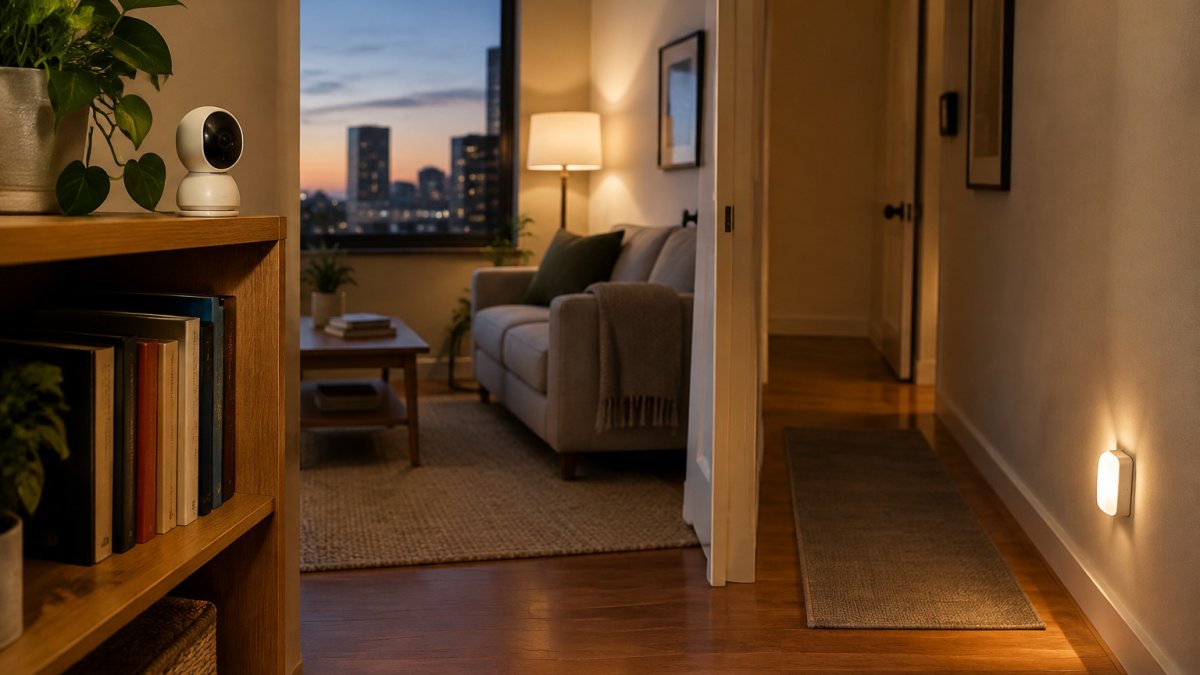
Here are our picks for a rented space:
- Ash and Anthem Smart Motion Sensor Night Light (USB Rechargeable), from $14.76. It is cordless and rechargeable over USB, so it needs no outlet.
- Ash and Anthem 4K Mini Indoor WiFi Security Camera, from $14.69. A compact indoor camera that sits on a shelf, desk, or table and connects over WiFi for viewing on your phone.
- Ash and Anthem Zigbee Smart Gateway, from $32.30. A Zigbee hub that connects compatible low-power devices, such as sensors, switches and smart bulbs, so they can be controlled from your phone.
Check your lease before installing any device, especially anything that involves wiring or fixture changes.

Portable Smart Home Devices You Can Take With You
Portability is the point of a renter setup, but the harder part is installing and removing devices without leaving a trace.
What makes a device truly portable
- No permanent fasteners. Command strips, magnetic mounts, and shelf-top placement come off cleanly; screws and anchors do not.
- No hardwiring. Fixture, doorbell, or thermostat wiring is a landlord conversation.
- Rechargeable or standard batteries. USB-C and AA/AAA mean no electrician.
- App-based setup. A device needing a proprietary hub is less portable than one pairing directly to Wi-Fi or Bluetooth.
No-drill mounting
Test any adhesive or mount on an inconspicuous spot before committing to a visible location, and avoid the wall entirely where a shelf or desk placement will do.
Move-out restoration
- Photograph every mount location before installing to record the baseline.
- Remove adhesive slowly and parallel to the wall, using the removal tab where provided.
- Keep original boxes and hardware; some landlords ask for devices to be removed entirely.
- Patch nothing unless you caused damage.
Watch out: adhesive can lift paint from poorly primed walls or leave residue on wallpaper. Test an inconspicuous spot first, and avoid mounting anything heavy above a bed or doorway.
Portable picks in this guide
The Smart Motion Sensor Night Light (USB Rechargeable, from $14.76) is cordless and rechargeable; the wood-style version (from $15.82) and rechargeable LED motion night light (from $14.00) are also rechargeable. The 4K Mini Indoor WiFi Security Camera (from $14.69) is designed to sit on a shelf, desk, or table. The Zigbee Smart Gateway (from $32.30) is infrastructure, not a portable device.

Smart Lighting and Smart Plugs for Apartments: Choosing Your First Setup
A first setup should answer three questions: what your lease allows, what your space supports, and what will still work when you move.
Check the lease and building rules first
Read your lease on alterations before installing any device, and ask about cameras in common areas or doorbell cameras in shared hallways.
Small-space and shared-living choices
- Studios: one smart plug on a lamp plus one motion night light covers most daily value; skip hubs until you have more than three devices.
- Roommates: smart plugs on shared lamps and a camera in a private room, not a common area. Agree who controls the app and owns the account.
- Noise-sensitive buildings: choose bulbs and plugs over speakers and alarms, and silence notifications.
- Rental Wi-Fi: most smart bulbs and plugs are 2.4 GHz-only, so confirm your router broadcasts that band.
Compatibility and setup requirements
Match the protocol before the price. Wi-Fi devices pair directly to your router but add congestion; Zigbee and Thread need a hub or border router; Matter devices work across platforms, but check the specific model's compatibility list. Confirm Alexa, Google Home, or Apple Home support before checkout.
A simple first setup
| Device | Starting Price | Best For |
|---|---|---|
| Smart Motion Sensor Night Light (USB) | $14.76 | Hallways and closets |
| Smart Motion Sensor Night Light (Wood) | $15.82 | Bedsides and warm décor |
| 4K Mini Indoor WiFi Camera | $14.69 | Checking on your apartment |
| Zigbee Smart Gateway | $32.30 | Connecting multiple devices |
| Smart Knob Floor Heating Thermostat | $49.37 | Homes with electric floor heating |
Starting Price
If your apartment has electric floor heating, the knob thermostat offers timing control; check the product details and your lease before changing any heating control.
Ongoing cost to plan for
Factor in the cost of a hub if you add Zigbee devices, and check each product's details for any subscription or ongoing power requirements.
Watch out: Zigbee devices generally need a compatible hub or gateway, so check compatibility before buying sensors.
Frequently Asked Questions
What are the best smart home devices for an apartment?
For most apartments, start with devices that plug in or charge over USB. The Ash and Anthem 4K Mini Indoor WiFi Security Camera (from 14.69) sits on a shelf and gives remote viewing from your phone. Motion sensor night lights (from 14.00 to 15.82) light stairs, hallways and closets with no outlet. A Zigbee gateway (from 32.30) lets compatible sensors and bulbs work together in one app, so you can build routines as your setup grows.
Which smart home devices are renter-friendly?
Renter-friendly devices avoid drilling, rewiring and permanent changes. Plug-in or rechargeable products work best because they move with you. The rechargeable motion sensor night lights need no outlet and can be placed on a shelf, inside a closet or under a cabinet. The mini indoor camera stands on a shelf or desk, so nothing is mounted to the walls. Check your lease before adding any device that needs a fixed installation.
Do smart home devices work without a hub?
Many Wi-Fi devices, such as the indoor camera, connect straight to your home network and need no separate hub. Zigbee devices are different: they usually need a hub or gateway to connect to your network and to each other. The Ash and Anthem Zigbee Smart Gateway (from 32.30) is designed for that job. Check each product's compatibility list before buying, since not every Zigbee device works with every hub.


